Vital Alerts · Circular Ring 2
Circular Ring 2 monitors your heart rate and blood oxygen continuously, day and night, and alerts you the moment a reading crosses a threshold you set. Every alert lands on your phone in real time, is stored in your in-app history, and sits alongside your sleep, HRV, recovery, and stress, so you always know what to do next.
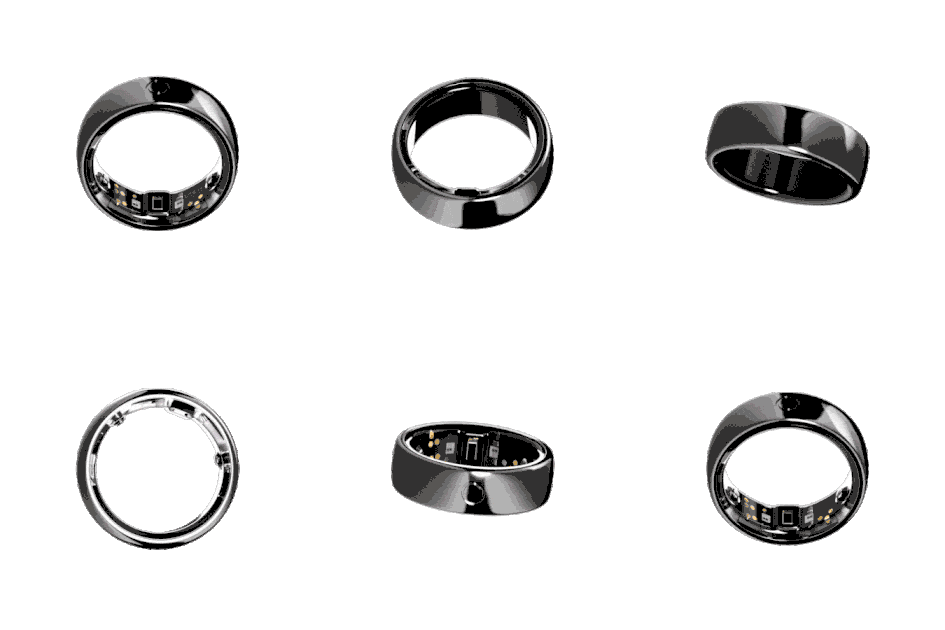
A 24/7 vital signs tracker is useful only if it tells you when something matters, and gives you enough context to do something about it. Most wearables surface a dashboard and leave the interpretation to you. Some send a notification, but with no surrounding picture, you are left guessing why it fired and what to do.
A vital alert on its own is just a number out of range. Without the wider picture, you cannot tell if it matters.
When an alert disappears, the pattern often disappears with it. Few platforms keep a clean history of every notification.
Most trackers stop at the alert. The harder question, what should I actually do about it, is left for the user to figure out.
Heart rate and blood oxygen are tracked continuously through the day and night. You set the thresholds that matter to you. When a reading crosses one, the ring sends a phone notification, the alert is stored in your in-app history, and the surrounding signals, your sleep, your HRV, your recovery, your stress, are right there in the same app so you can see what is happening around the alert. The data and the context arrive together.
Every alert sits inside the wider picture of your sleep, HRV, recovery, and stress. You see the signal and the context in the same place.
The ring monitors both vitals around the clock. Alerts run on the same continuous data, not periodic samples.
When a reading crosses your threshold, you get a notification on your phone. You see it when it happens, not the next morning.
Every alert is logged and stored. You can review the full pattern across days, weeks, and months.
You decide what counts as too high, too low, or out of range. Customizable by signal, adjustable at any time.
No baseline calibration is required. Alerts are active as soon as you set your thresholds.
Your SpO₂ dropped briefly during sleep. You did not feel it, but your phone notified you in the morning. The in-app history shows the exact moment, and the sleep data alongside it shows the stage when it happened. You bring it to your next checkup with real information, not a vague worry.
You set a heart rate alert at 85 beats per minute for daytime rest. Across a heavy work week, the alert fires three times. Looking at the history, two of them landed in the same meeting window, with elevated stress and dropped HRV sitting alongside. The pattern was real, the data confirmed it, and you used that week as a turning point.
You set a high heart rate alert as a personal cap during steady-state cardio. The ring notified you when you crossed it. You pulled back, stayed in the zone you actually wanted, and the next day's recovery showed up better for it.
A doctor's note, a recovery target, a personal sensitivity. Whatever the reason, you set the alert at the number that matters to you. The ring understands that, and the surrounding data helps you understand why an alert fired when it did.
At the end of the month, you open the alert history alongside your sleep, HRV, and recovery trends. The clusters become readable. You see which weeks were hardest on your body and where the alerts grouped. You take one specific change into the next month.
For long stretches, no alert fires. That is its own signal. Your vitals stayed inside the range you set, every day, every night. The system stays quiet because there was nothing to flag.
Heart rate and blood oxygen are two of the signals Circular Ring tracks continuously. Around them sit your sleep stages, HRV, stress, recovery, ECG, temperature, activity load, and Women's Health data. When a vital alert fires, the surrounding picture is right there in the app. The signal becomes useful because everything around it is already being tracked.
Kira AI
A vital alert tells you something looks off. The harder question is what to do about it. Kira AI reads your continuous data across the day and night, including the same heart rate and blood oxygen signals that drive your alerts, and writes one specific recommendation each morning, built on your sleep, HRV, stress, recovery, and activity load. When an alert fires, you have the immediate notification, the in-app history, and Kira AI's wider read on your day, all in the same app. The signal and the action arrive together.
You get one clear thing to do each day. Built on your data, written in plain language.
Heart rate and blood oxygen (SpO₂). These are the two signals that can trigger an alert today.
Alerts fire when a reading crosses a threshold you set yourself. The system is not baseline-calibrated and does not require a learning period. You set the values that matter to you, and the ring notifies you when they are crossed.
Phone notification at the moment of the threshold crossing, plus a permanent record in your in-app alert history.
You can enable, disable, and adjust thresholds for each signal independently. Alerts can be muted by signal or turned off entirely.
The ring tracks heart rate and SpO₂ continuously, so alerts can fire at any time, including during sleep.
Vital Alerts are not medical alerts. They do not diagnose illness, detect disease, predict infection, or replace clinical monitoring. They notify you when a reading crosses a threshold you defined. For any clinical concern, talk to a doctor.
Today, only heart rate and SpO₂ can trigger alerts. Temperature, HRV, respiratory rate, and other signals are tracked by the ring but do not currently trigger custom alerts.
Loose ring fit, cold fingers, low circulation, intense movement, and surface contamination can all affect signal quality. The ring filters for low-confidence readings, but a single unusual reading is not always meaningful.
Vital data and alert history are encrypted and processed with GDPR and HIPAA compliance.
USD$299
Circular Ring 2 is a wellness device. It does not diagnose, treat, cure or prevent any disease.
A vital alert is a phone notification that fires when one of your tracked vitals crosses a threshold you set yourself. Today, alerts are available for heart rate and blood oxygen (SpO₂). Every alert is stored in your in-app history.
Heart rate and blood oxygen (SpO₂). These are the two signals currently supported.
No. Alerts fire based on the thresholds you set yourself, not on a personal baseline. You define what counts as an alert.
No. Alerts are active from day one. As soon as you set your thresholds in the app, the system will notify you when a reading crosses them.
Yes. You can enable or disable alerts for each signal independently.
Yes. The thresholds you set are fully customizable. You can change them at any time.
Yes. Heart rate and SpO₂ are tracked continuously, so alerts can fire at any point during the day or night.
Yes. Every alert is stored in your in-app history, so you can review the full pattern across days, weeks, and months.
No. Vital Alerts are not medical alerts and do not detect illness, infection, or disease. They notify you when a reading crosses a threshold you set yourself. For any clinical concern, talk to a doctor.
Loose ring fit, cold fingers, low circulation, intense movement, alcohol, late meals, travel, or a poor night of sleep can all influence heart rate and SpO₂ readings. The system filters low-confidence readings where possible, but a single alert is not always meaningful. Reviewing the pattern across multiple alerts is more useful than reacting to one.
If you set a high heart rate threshold lower than your exercise heart rate, then yes. Some users do this intentionally to cap effort during steady-state cardio. Others raise the threshold to avoid alerts during workouts.
No. Continuous vital tracking, custom alerts, and alert history are all included with Circular Ring 2 at no additional cost.
No. The thresholds you set are personal preferences, not medical thresholds. They reflect what you want to be notified about, not what is clinically normal or abnormal. For medical guidance on appropriate ranges, talk to a doctor.
Apple Watch offers alerts on high and low heart rate and irregular rhythm, with limited user customization. Circular Ring 2 offers user-set thresholds on heart rate and SpO₂ that the user controls directly. The two systems take different approaches: Apple's alerts are largely automatic, and Circular Ring's alerts are user-defined.
Yes. Your data is encrypted and processed with GDPR and HIPAA compliance.
Every alert appears inside the wider picture of your continuous data. Your sleep, HRV, recovery, stress, and activity are tracked alongside the same signals that triggered the alert. When you open the alert, the surrounding context is already there to help you decide what matters.

Take a reading whenever you want one. No subscription, no limit.
%201-1.avif)